

Maintenance Tips for Your Flykeys LK03S Upright Digital Piano
- Maintenance Tips for Your Flykeys LK03S Upright Digital Piano
- Why regular care matters for the best upright digital piano performance
- Placement and environment: control humidity, temperature, and light
- Cleaning the keyboard, cabinet, and control surfaces
- Protect electronics: power, cables, ports, and firmware
- Pedal care and maintenance
- Keys and action: inspection and gentle troubleshooting
- Speakers and sound: care to preserve DSP and samples
- Routine maintenance checklist and schedule
- Quick troubleshooting: simple fixes for common problems
- Safe transportation and storage
- Why professional service matters for hammer-action digital pianos
- Brand advantages: what sets Flykeys LK03S apart
- FAQ — Common questions about Flykeys LK03S maintenance
- Contact us / View product
- References
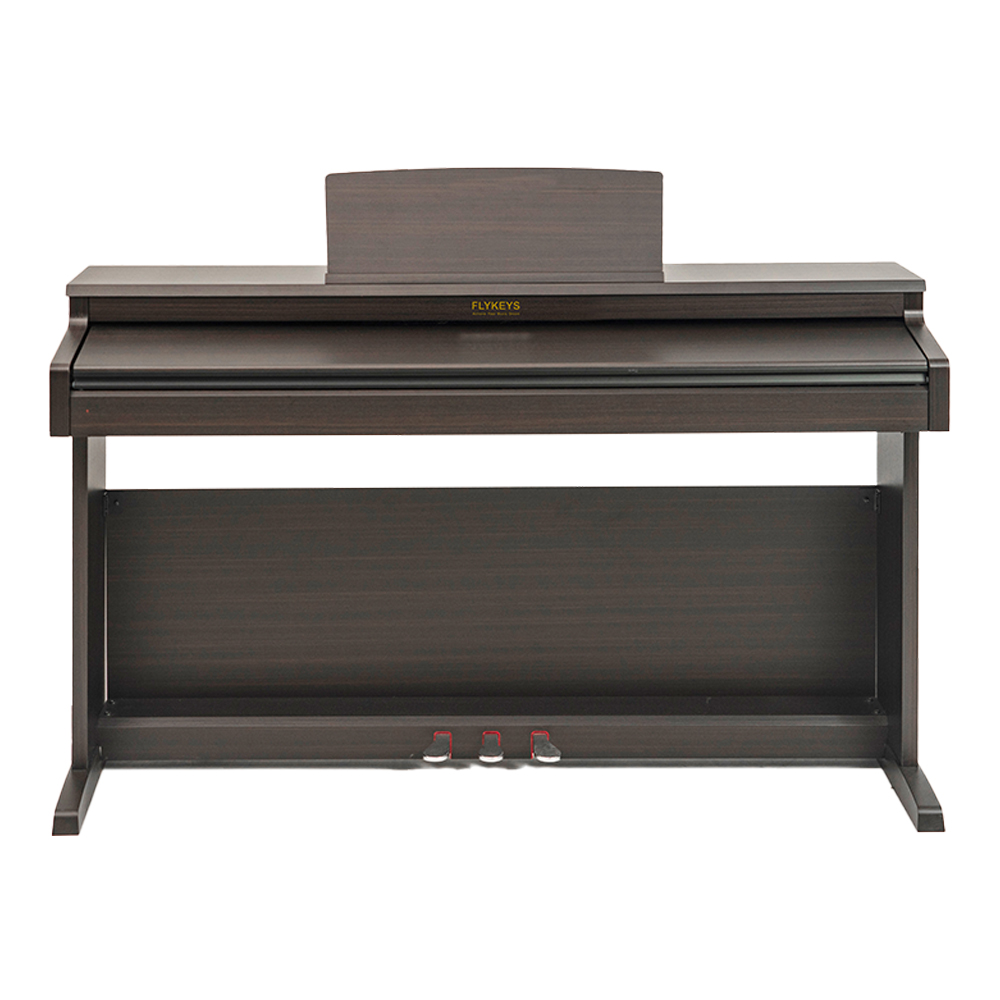
Maintenance Tips for Your Flykeys LK03S Upright Digital Piano
Why regular care matters for the best upright digital piano performance
Even though digital pianos require less frequent service than acoustic instruments, proper care keeps sound, feel, and electronics in top condition. The Flykeys 88 Keys Hammer Action keyboard Upright Piano LK03S Digital Piano combines independent patented 88-key Grand-Response hammer action and a European top DSP chip with famous grand piano sound samples. To protect that investment and ensure it continues to play like the best upright digital piano in its class, follow a practical maintenance plan focusing on cleanliness, environment, hardware care, and software updates.
Placement and environment: control humidity, temperature, and light
Location is the single most important factor in long-term performance. Digital pianos are less sensitive than acoustic pianos, but electronics, wooden key parts, and speaker components still react to extremes. Place your Flykeys LK03S away from direct sunlight, near-constant heating or cooling vents, exterior doors, and windows. Maintain a stable room temperature (ideally 18–24°C / 64–75°F) and relative humidity between 40–60% to reduce stress on wooden key tops and internal adhesives.
Use a hygrometer to check humidity and, if needed, run a humidifier or dehumidifier. Rapid humidity swings are more harmful than a steady level. This simple control will help preserve the Grand-Response hammer action feel and prevent warped keys or cosmetic damage.
Cleaning the keyboard, cabinet, and control surfaces
Dust and oils from hands build up over time and can affect playability and appearance. Follow these steps weekly or as needed:
- Power off and unplug the piano before cleaning.
- Use a soft microfiber cloth to remove dust from the cabinet, control panel, and music rest. For stubborn dust in seams, a soft-bristled brush works well.
- Clean keys with a slightly damp (water only) microfiber cloth; dry immediately with a second cloth. Avoid household cleaners containing alcohol, ammonia, or solvents as they may damage key surfaces and finish.
- For persistent marks, use a 1:10 diluted mild dish soap solution on a cloth, then wipe with a clean damp cloth to remove residue; dry immediately.
These steps protect the keyboard action and the look of your Flykeys LK03S while avoiding damage to the DSP chip and speaker grills.
Protect electronics: power, cables, ports, and firmware
Digital pianos have electronic components that benefit from good power practices. Use a high-quality surge protector or an uninterruptible power supply (UPS) to guard against spikes and outages. When connecting pedals, headphones, or USB/MIDI devices, power down first to prevent transient electrical events. Regularly inspect power cords and audio cables for wear and replace if damaged.
Check the Flykeys LK03S manual or support page for firmware update procedures. Manufacturers occasionally release updates that improve sound engine stability or add features. Updating firmware can fix bugs and keep your instrument operating like the best upright digital piano available.
Pedal care and maintenance
The sustain and pedal system are pivotal to expression. Pedals on the LK03S are mechanical and electronic. Keep them clean and free of debris; lubricate moving parts sparingly only if the manufacturer recommends it—over-lubrication attracts dust. If pedal response becomes uneven, inspect the cable connection and the pedal box; replace frayed cables promptly. For double or triple pedal boards, ensure the pedal assembly sits flat and secure to avoid misalignment that affects feel.
Keys and action: inspection and gentle troubleshooting
The Flykeys LK03S features an independent patented 88-key Grand-Response hammer action with a dynamic curve keyboard. To maintain consistent touch and response:
- Periodically check for sticky or uneven keys. Sticky keys are often caused by debris; clean around the key edges with a soft brush and vacuum on low suction if necessary.
- A noticeable change in touch may indicate internal mechanical wear or a loose component; schedule professional service if simple cleaning doesn't restore normal feel.
- Avoid placing heavy objects on the keys when the piano is not in use to prevent action distortion.
Because hammer action mechanisms are finely balanced, avoid attempting internal adjustments unless you are trained. Use authorized technicians for repairs to preserve warranty and ensure precise calibration.
Speakers and sound: care to preserve DSP and samples
The European top DSP chip and grand piano samples define the LK03S sound. Protect the speaker membranes from dust and liquids. Avoid exposing the piano to excessively loud volumes for extended periods, as sustained clipping can damage speakers and distort samples. If you notice buzzing or distortion at normal volume levels, check connections and try different audio sources; persistent issues likely require professional diagnosis.
Routine maintenance checklist and schedule
Below is a practical schedule to keep the Flykeys LK03S performing like the best upright digital piano in its category. This is tailored for home and studio use.
| Task | Frequency | Notes |
|---|---|---|
| Dust and wipe keys/cabinet | Weekly | Use microfiber cloth; power off first |
| Humidity check | Monthly | Keep 40–60% RH; use humidifier/dehumidifier as needed |
| Inspect cables and power cord | Quarterly | Replace frayed or damaged cables; use surge protector |
| Firmware/software updates | As released | Check manufacturer support page |
| Professional service (action/speakers) | Every 2–4 years or as needed | Authorized technicians for internal adjustments |
Source: Manufacturer recommendations and industry best practice summarized from Piano Technicians Guild and major digital piano manufacturers (sources listed below).
Quick troubleshooting: simple fixes for common problems
Power on but no sound: check volume, headphone jack (unplug headphones), verify audio source, inspect speakers, try different power outlet. If the unit shows error indicators, consult the manual for error codes before contacting support.
Intermittent MIDI/USB connection: test with a different cable and USB port on your computer, ensure drivers are up to date, and try a different host device. Electromagnetic interference can cause dropouts—keep wireless routers or strong EM sources away from cables.
Sticky keys or uneven action after cleaning: allow keys to dry fully; if sticky behavior persists, avoid forcing the key and contact an authorized service technician.
Safe transportation and storage
If you need to move the Flykeys LK03S, always power down and disconnect cables. Use a padded cover and, if transporting in a vehicle, secure the piano to prevent movement. Avoid stacking heavy objects on top. For storage, keep the instrument in a dry, climate-controlled space, and cover it to prevent dust accumulation.
Why professional service matters for hammer-action digital pianos
The LK03S’s patented hammer action and dynamic curve keyboard are precision systems. While many routine tasks are simple and user-safe, internal mechanical adjustments, key leveledness, and speaker repairs require professional tools and expertise. Authorized technicians have knowledge of manufacturer tolerances and access to genuine parts, ensuring repairs preserve the instrument’s playability and value.
Brand advantages: what sets Flykeys LK03S apart
The Flykeys 88 Keys Hammer Action keyboard Upright Piano LK03S Digital Piano stands out for several reasons that affect maintenance and long-term satisfaction:
- Patented 88-key Grand-Response hammer action designed to mimic acoustic feel — reduces the need for frequent action recalibration when cared for properly.
- European top DSP chip and famous grand piano samples — provides high-quality tones that remain stable with firmware updates and proper power protection.
- Standard upright digital piano design that balances cabinet aesthetics with accessibility for service and protection of internal components.
- Manufacturer support and documentation that guide owners through recommended cleaning, firmware updates, and authorized service networks.
Combined, these features mean that following the maintenance tips above will help your Flykeys LK03S continue to feel and sound like the best upright digital piano it was designed to be.
FAQ — Common questions about Flykeys LK03S maintenance
Q: How often should I update firmware?
A: Check the Flykeys support page every few months or subscribe to notifications. Update when the release notes include bug fixes or performance improvements relevant to your usage.
Q: Can I use standard household cleaners on keys?
A: No. Use water only or a mild diluted soap as described. Avoid alcohol and solvent-based cleaners to prevent surface damage.
Q: My keys feel uneven — is this covered under warranty?
A: Check your warranty terms. Manufacturing defects usually are covered; wear from misuse is not. Contact Flykeys support or an authorized technician for assessment.
Q: Will humidity control prevent all problems?
A: It significantly reduces the risk of warping and adhesive issues, but it cannot prevent every mechanical failure. Use it as part of a broader maintenance routine.
Contact us / View product
If you own or plan to buy the Flykeys 88 Keys Hammer Action keyboard Upright Piano LK03S Digital Piano and want personalized maintenance advice, parts, or authorized service contacts, please reach out to our support team or view the product page. Keep your instrument performing at its best and enjoy the touch and tone of one of the best upright digital piano models available.
Once you’ve learned proper maintenance, you may want to compare the LK03S with other models suited for compact living spaces. Explore more in Buyer’s Guide: Choosing the Best Upright Digital Piano for Apartments.
References
- Piano Technicians Guild maintenance guidelines: https://www.ptg.org
- Yamaha support and care for digital pianos: https://usa.yamaha.com/support
- Kawai digital piano care: https://www.kawai-global.com
- General surge protection guidance: CNET surge protector overview: https://www.cnet.com/home/energy-and-utilities/best-surge-protectors/
Wholesale keyboard 88 keys manufacturer and supplier
Buying Guide: Digital Piano Keyboards for Music Schools
How to Choose Right best piano stand manufacturer and supplier ?
Tips for Wholesale piano digital portable
Payment
What payment methods do you accept?
We accept payment methods such as T/T and L/C.
Customization
What is the lead time for custom orders?
Lead times for custom orders vary depending on the complexity of the customization and current production schedules. Please contact our sales team for more information.
Company
Does your company have any sustainability initiatives?
Yes, we are dedicated to sustainability and continuously strive to minimize our environmental footprint through responsible manufacturing practices.
Products
What is the warranty period of piano?
We provide 2 years warranty service, if there is any quality problem, we can provide accessories for free
Can I connect your electronic pianos to external devices?
Yes, our electronic pianos are equipped with connectivity options such as MIDI, USB, and Bluetooth for seamless integration with external devices.
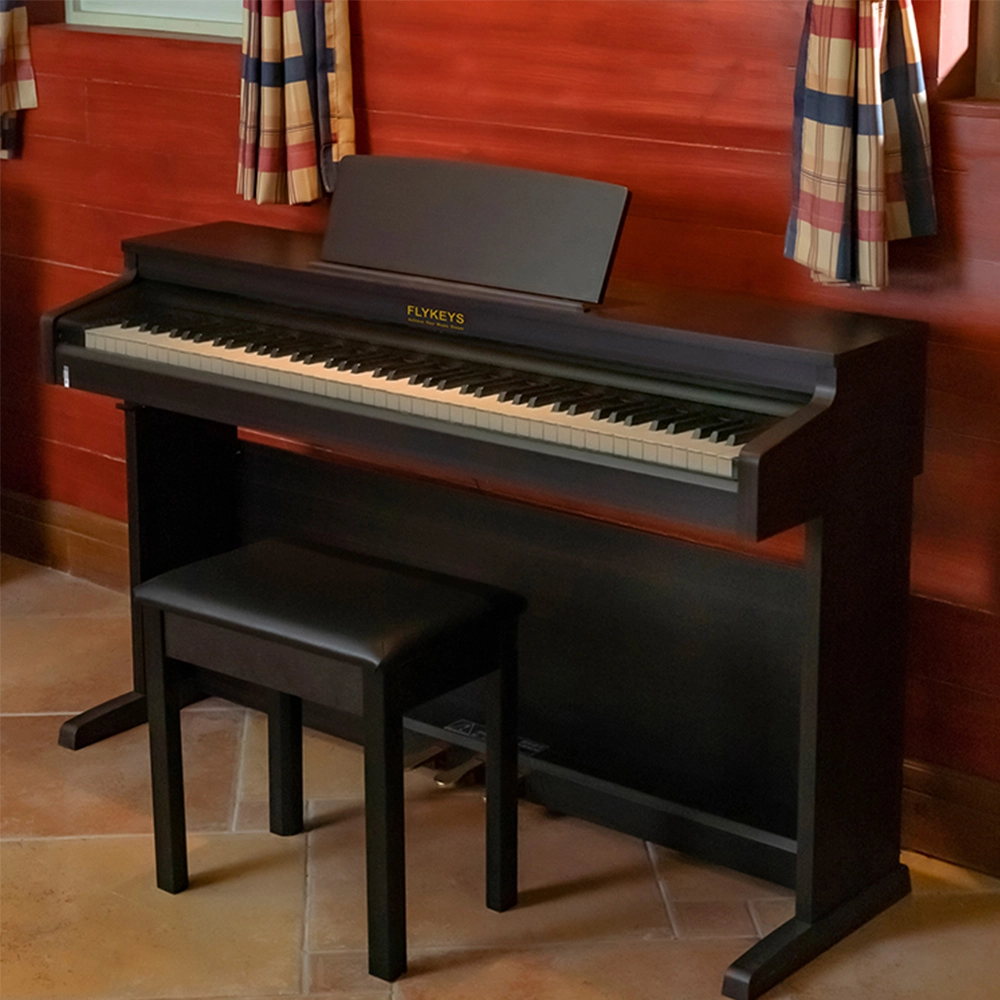
Flykeys Upright Electric Piano Built-In Speakers Music Instrument FD05 Digital Piano
---Sound source: Independently developed DSP chip, German famous grand piano sound sample, 8-layer 256M dynamic table wave,String overtones resonance simulation sound technology
---Keyboard: Independent development 88 keys dynamic curve hammer action weighted keyboard
---Exterior: With small door, wooden shell structure, sliding key cover, aluminum alloy handle, folding large spectrum frame, single row round button key side control panel
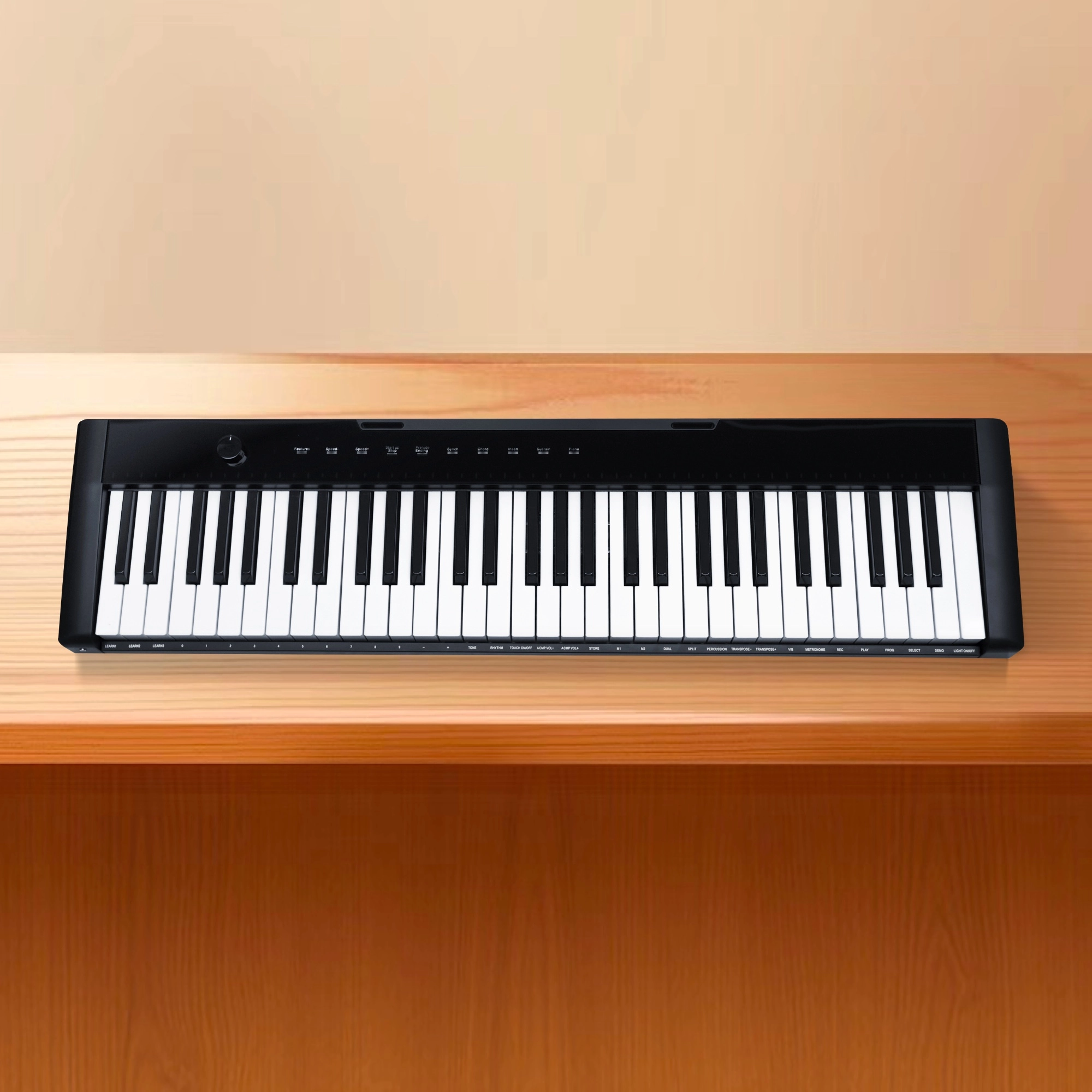
Flykeys 61 keys portable electronic keyboard piano with X stand (M2)
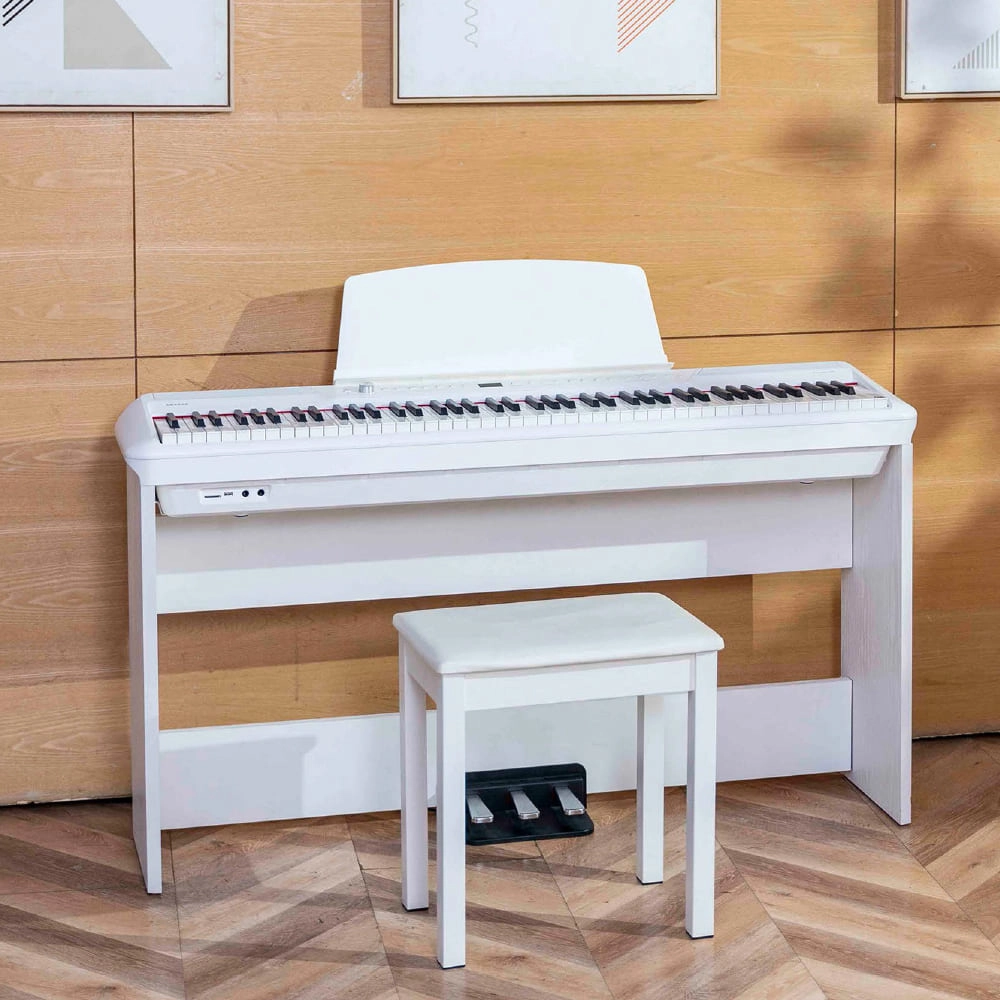
Flykeys Portable Electric Keyboard FP9 Digital Piano
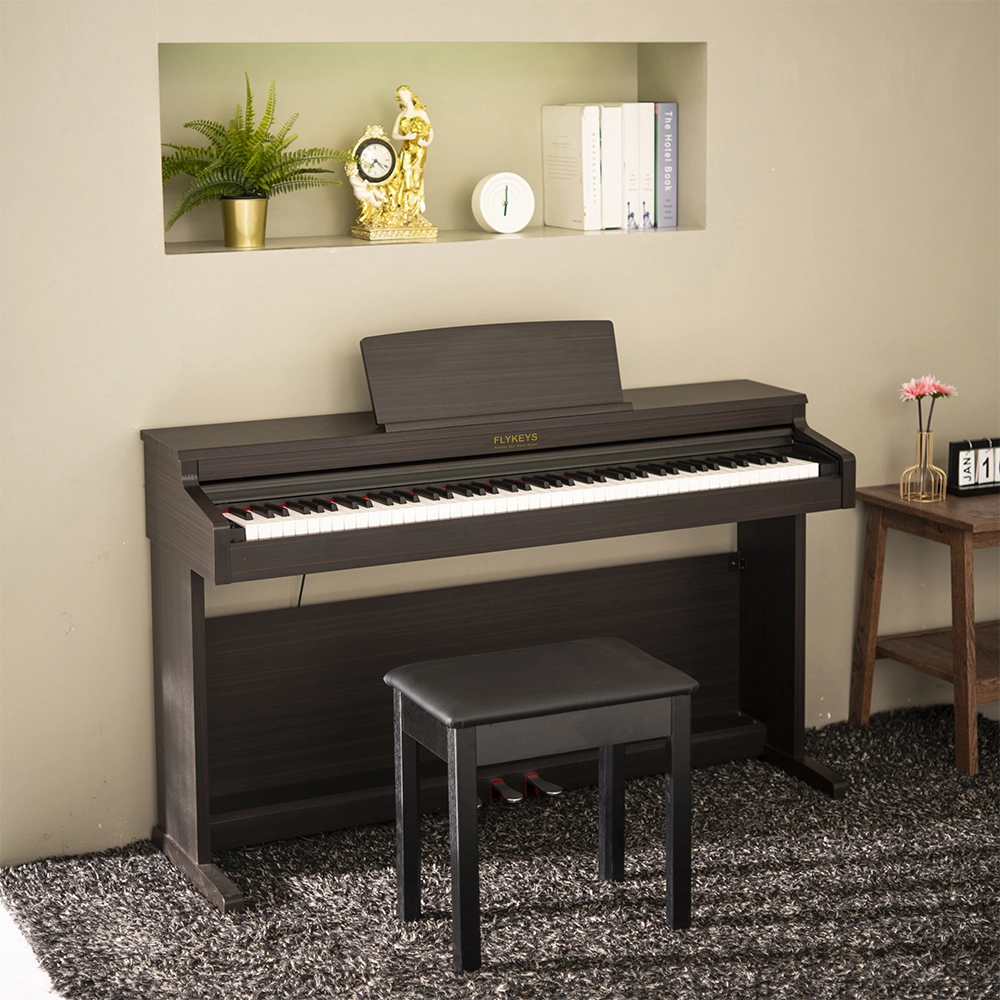
Flykeys 88 Keys Hammer Action keyboard Upright Piano LK03S Digital Piano
— Independent patented technology 88 key Grand-Response hammer action & dynamic curve keyboard;
— European top DSP chip, famous grand piano sound sample;
Address: No. 38 Xiangshan Avenue, Zengcheng Economic And Technological Development Zone, Guangzhou, China.
FOLLOW US:


© 2024 FLYKEYS All Rights Reserved. 粤ICP备2020102774号. Designed by gooeyun Sitemap | Privacy | Terms