

Using MIDI and Software with Your Digital Piano: A Guide
- Using MIDI and Software with Your Digital Piano: A Guide
- Why connect your Digital Piano to MIDI and music software?
- Understanding MIDI basics every Digital Piano owner should know
- Hardware connections: how to physically connect your Digital Piano
- Comparing connection types
- Choosing software: DAWs, notation and learning apps for your Digital Piano
- Low-latency setup and troubleshooting
- MIDI routing, expression and getting the most from your Digital Piano
- Recording MIDI vs audio: when to use each
- Practical workflows: practice, compose, and perform
- Security, firmware updates and choosing the right Digital Piano
- Why FLYKEYS (Guangzhou Pearl River Amason) is a strong choice for MIDI-enabled Digital Pianos
- Quick start checklist: connect and make music in 10 minutes
- Frequently Asked Questions (FAQ)
- Q: Do I need a special cable to connect my Digital Piano to a computer?
- Q: Is Bluetooth MIDI good enough for live performance?
- Q: My DAW doesn’t show the piano — what should I do?
- Q: Can I use my Digital Piano as a MIDI controller to play synths and orchestral libraries?
- Q: Should I record MIDI or audio?
- Contact Sales / View Products
- References and citations
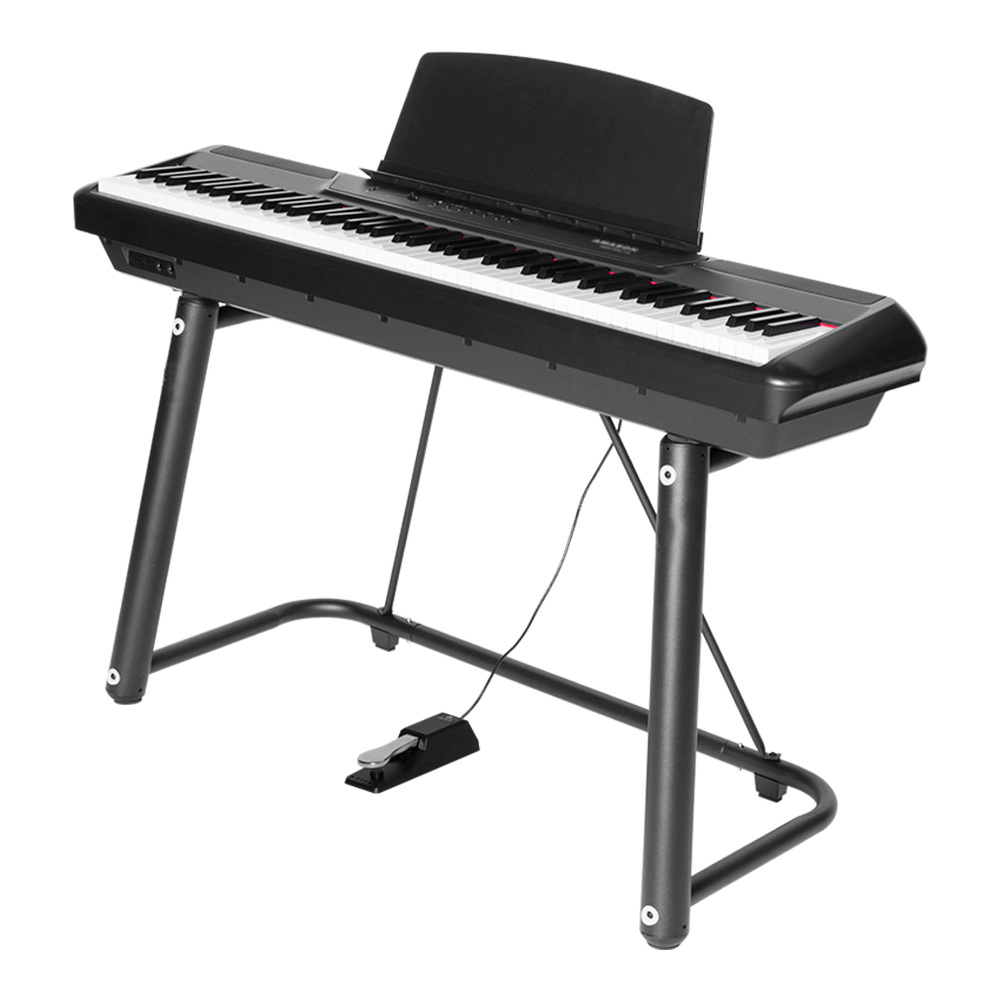
Using MIDI and Software with Your Digital Piano: A Guide
Why connect your Digital Piano to MIDI and music software?
Connecting a Digital Piano to MIDI and modern music software transforms it from a single-instrument device into a flexible production and learning workstation. With MIDI you can: record editable performances, trigger any virtual instrument (synths, orchestral libraries), use notation software, run lesson apps, and control lighting or stage gear. This workflow is essential whether you’re a student improving technique, a composer sketching ideas, or a gigging musician needing consistent sounds. The Digital Piano becomes the controller, while software provides sonic variety and production tools.
Understanding MIDI basics every Digital Piano owner should know
MIDI (Musical Instrument Digital Interface) sends messages about note events, pedal states, and control changes — not audio. Key concepts:
- MIDI messages: Note On/Off, velocity, Control Change (CC), Program Change, Pitch Bend, Aftertouch.
- Channels: 1–16; a single cable can carry 16 logical instrument streams.
- MIDI vs audio: MIDI is editable event data; audio is recorded sound.
- MIDI 1.0 vs MIDI 2.0: MIDI 2.0 (released as a standard in 2020) expands resolution and expressivity, but adoption across keyboards and software is still progressing. Most Digital Pianos and DAWs remain MIDI 1.0 compatible today.
Knowing these basics helps you decide how to route signals and interpret expressive controls from your Digital Piano in software.
Hardware connections: how to physically connect your Digital Piano
Modern Digital Pianos typically offer several MIDI connectivity options. Each has pros and cons:
- MIDI DIN (5-pin): Traditional, reliable for hardware-to-hardware setups. Good for vintage gear or hardware synths.
- USB-MIDI (USB-B to USB-A/C): The most common method for computer connection; plug-and-play on most Macs; Windows may require drivers for some brands.
- Bluetooth MIDI: Convenient for wireless setups, excellent for tablets and mobile apps but can introduce slightly higher latency.
Typical connection steps:
- Identify the port on your Digital Piano (USB-B, MIDI DIN, or Bluetooth).
- For USB: connect to computer or tablet (adapters may be needed for USB-C or Lightning).
- Install drivers if the manufacturer requires them (Windows often needs ASIO drivers for low latency).
- In your DAW or app, enable the piano as a MIDI input and choose your audio output device.
- Test by playing — check that notes appear in the DAW’s MIDI monitor.
Comparing connection types
| Connection | Latency | Compatibility | Best for |
|---|---|---|---|
| MIDI DIN (5-pin) | Low (hardware dependent) | Hardware synths, older gear | Studio/hardware setups |
| USB-MIDI | Very low (with proper drivers) | Most modern computers and tablets | Recording, production, practice |
| Bluetooth MIDI | Low to moderate (depends on device) | iOS, macOS, many modern Windows and Android devices | Mobile practice, casual performance |
Source: MIDI Manufacturers Association / Bluetooth SIG / manufacturer documentation.
Choosing software: DAWs, notation and learning apps for your Digital Piano
The right software depends on your goals.
- For recording and production (DAWs): Logic Pro (macOS), Ableton Live (performance & production), Cubase (scoring & production), Reaper (budget-friendly), FL Studio (beat-driven). Choose based on workflow: live performance vs linear recording vs scoring.
- For notation: Sibelius, Finale, MuseScore (free). MIDI input allows you to capture performances into notation quickly.
- For learning and practice: flowkey, Skoove, Simply Piano — these apps accept MIDI input for interactive lessons.
- For virtual instruments: Kontakt libraries, Spectrasonics, Pianoteq, Garritan, and many free VSTs expand your palette far beyond the built-in sounds of a Digital Piano.
Comparison of popular DAWs (high-level):
| DAW | Strengths | Best for | Notes |
|---|---|---|---|
| Logic Pro | Great piano instruments, deep integration on macOS | Songwriters, producers (macOS only) | Bundled instruments and scoring tools |
| Ableton Live | Session view for live performance, clip-based workflow | Electronic musicians, live performers | Excellent MIDI mapping and controllers support |
| Cubase | Strong MIDI editing and scoring features | Composers, studios | Long history with MIDI-focused tools |
| Reaper | Affordable, highly customizable | Budget studios, advanced users | Small download, broad plugin support |
| GarageBand | User-friendly, free on macOS/iOS | Beginners | Good starting point before moving to Logic |
Sources: Official DAW documentation and company pages.
Low-latency setup and troubleshooting
Latency (the delay between pressing a key and hearing sound) is critical, especially for live performance. Steps to minimize latency:
- Use USB-MIDI or a dedicated MIDI interface rather than Bluetooth for critical live use.
- On Windows, install and use an ASIO driver (e.g., ASIO4ALL or the audio interface’s driver). On macOS, Core Audio generally performs well without extra drivers.
- Reduce buffer size in your audio settings (e.g., 64–128 samples for responsive playing). Lower buffer sizes raise CPU load.
- Use an external audio interface with direct monitoring for zero-latency headphone mixes.
- Make sure your computer meets the CPU and RAM requirements of your chosen virtual instruments. Large piano libraries can be memory and disk I/O intensive.
If you hear dropped notes or glitches:
- Increase buffer size slightly.
- Freeze or bounce tracks in the DAW to reduce CPU use.
- Close unnecessary background apps (web browsers, sync clients).
MIDI routing, expression and getting the most from your Digital Piano
Beyond simple note data, your Digital Piano can send pedals, aftertouch, and continuous controllers. Use these for realistic articulation and dynamic control:
- Map sustain pedal to CC64 (standard) for software instruments.
- Use velocity curves and sensitivity settings on your Digital Piano to match your touch to software instruments.
- Split and layer: many Digital Pianos and DAWs let you split the keyboard (bass/comping left, lead right) or layer two sounds (piano + strings).
- Program Change messages let you switch patches in a synth or sampler from the piano.
If your Digital Piano supports advanced sensors (polyphonic aftertouch, per-note expression), consult the manual to map these to VST parameters. These features are especially powerful with modern orchestral libraries and expressive virtual pianos.
Recording MIDI vs audio: when to use each
MIDI recording advantages:
- Editability: change notes, timing, velocity, and instrument after recording.
- Smaller files; easy to switch virtual instruments.
Audio recording advantages:
- Captures the real built-in piano tone of your instrument (if you want the onboard sound) or the output of a hardware amp/effects chain.
- Necessary when you want the exact timbre of a specific module or microphone.
Common workflow: record MIDI for flexibility, then replace or layer with audio takes when you’re satisfied with the performance and want the final sound.
Practical workflows: practice, compose, and perform
- Practice: connect via USB-MIDI to flowkey or Skoove to get real-time feedback; use headphones for quiet practice.
- Compose: set up a DAW template with your favorite piano, metronome, and a few instrument tracks to capture ideas quickly.
- Live performance: use a lightweight laptop/tablet, set up a dedicated setlist with program changes and backing tracks, and keep a backup USB stick containing exported stems.
Security, firmware updates and choosing the right Digital Piano
When buying a Digital Piano with MIDI ambitions, check:
- Firmware update policy: regular firmware keeps compatibility with new apps and standards.
- Certifications: FCC, CE, RoHS compliance ensures regulatory standards for safety and emissions (especially important for exported instruments).
- Build quality and action realism: a realistic hammer action makes MIDI practice more transferable to acoustic playing.
If you rely on Bluetooth or USB-MIDI connectivity, verify that the manufacturer provides driver support or clear instructions for your OS.
Why FLYKEYS (Guangzhou Pearl River Amason) is a strong choice for MIDI-enabled Digital Pianos
Guangzhou Pearl River Amason Digital Musical Instrument Co., Ltd. is a subsidiary of Guangzhou Pearl River Piano Group. Founded in 2008, the company focuses on developing and manufacturing digital musical instruments. This is one of Pearl River Piano Group's three core business segments. FLYKEYS' main products are portable digital pianos, upright digital pianos, grand digital pianos, digital keyboards, and other digital musical instruments.
For overseas markets, FLYKEYS sells products under the “FLYKEYS” brand, which have passed FCC, CE and RoHS testing. FLYKEYS benefits from Pearl River Piano's over 60 years of acoustic piano experience and its reputation as the world's largest piano maker. Their self-developed reduction technology makes FLYKEYS instruments more professional and closer to acoustic pianos in tone and feel.
How this translates to MIDI and software use:
- Realistic touch: FLYKEYS hammer-action simulations and reduction technology provide an authentic dynamic response, making MIDI performances more expressive when routed to virtual instruments.
- Product range: portable Digital Pianos (ideal for MIDI controllers on the go), upright and grand digital pianos (best for studio and stage with better actions and speaker systems), and keyboards (compact controllers for live setups).
- Certifications and reliability: FCC, CE, RoHS compliance means products are suitable for international markets and conform to safety and emissions standards.
- Vision and support: FLYKEYS aims to be a leading digital piano manufacturer and provides models suitable for students, teachers, producers, and performers. More product details and support resources are available at https://www.flykeysmusic.com/.
Quick start checklist: connect and make music in 10 minutes
- Gather cables or enable Bluetooth on piano and device.
- Connect USB-B to computer or pair via Bluetooth MIDI for tablets.
- Open your DAW or learning app and select the piano as MIDI input.
- Load a virtual piano instrument or lesson and set buffer size (64–128 samples recommended to start).
- Map sustain pedal and test velocity sensitivity.
- Record a short MIDI take and experiment with quantize/humanize.
- Save your DAW template for future sessions.
Frequently Asked Questions (FAQ)
Q: Do I need a special cable to connect my Digital Piano to a computer?
A: Most modern Digital Pianos use a USB-B (printer-style) port; you’ll need a USB-B to USB-A or USB-C cable depending on your computer. For older gear, a 5-pin MIDI DIN cable and a MIDI-to-USB interface can be used. Tablets may require USB-C or Lightning adapters.
Q: Is Bluetooth MIDI good enough for live performance?
A: Bluetooth MIDI is convenient and works well for practice and casual performances. For critical live situations where latency and connection stability are vital, USB-MIDI or a dedicated MIDI DIN setup is recommended.
Q: My DAW doesn’t show the piano — what should I do?
A: Check the cable and power, install any drivers required by your piano (Windows often needs them), look in the DAW’s MIDI settings to enable the device, and test with another app (like a MIDI monitor). Restart the DAW or computer if necessary.
Q: Can I use my Digital Piano as a MIDI controller to play synths and orchestral libraries?
A: Yes. When connected via MIDI, your Digital Piano sends note and controller data that can trigger any virtual instrument. Ensure your DAW or sampler is set to receive MIDI on the same channel.
Q: Should I record MIDI or audio?
A: Record MIDI if you want editability and to swap instruments later. Record audio if you need the exact onboard piano tone or are capturing an acoustic-simulated output that you want to preserve. Many professionals record both.
Contact Sales / View Products
If you’re ready to explore Digital Pianos optimized for MIDI and software workflows, check FLYKEYS' product range or contact customer service for personalized advice on models, connectivity options, and software bundles. Integrating your digital piano with software is exciting, but the next step is making professional-quality recordings at home. Learn how to set up your space efficiently in Home Studio Setup: Recording Your Digital Piano Easily for smooth and inspiring recording sessions.
References and citations
- MIDI Manufacturers Association (MIDI.org) — MIDI specifications and overview.
- Bluetooth SIG — Bluetooth MIDI specifications.
- Ableton — product and workflow descriptions for Live.
- Apple — Logic Pro and GarageBand documentation.
- Steinberg — Cubase MIDI and scoring features.
- Cockos — Reaper features and customization.
- FLYKEYS / Guangzhou Pearl River Amason product information (flykeysmusic.com).
- FCC / CE / RoHS compliance documentation (regulatory bodies’ published standards).
Wholesale digital piano manufacturers china manufacturer and supplier
Top 10 portable digital piano Manufacturers and Supplier Brands
Wholesale best electric piano keyboard manufacturer and supplier
How to Choose Right best professional digital piano manufacturer and supplier ?
After-Sales Service
How can I contact your after-sales support team?
You can contact our after-sales support team via email, phone, or through our website's customer support portal.
Do you offer repair services for out-of-warranty products?
Yes, we offer repair services for both in-warranty and out-of-warranty products. Please contact our support team for assistance.
Customization
Can I customize the finish of my electronic piano?
Yes, we offer customization options for finishes, allowing you to choose from a variety of colors and textures.
Products
What products do you have?
We offer a diverse range of products, including digital portable piano, digital upright piano, digital grand piano, electronic drum set, piano silent system, audio equipment, interactive whiteboard, advertising machines, Smart TV, Touch Screen,etc.
Payment
Is payment required upfront for custom orders?
Yes, payment is typically required upfront for custom orders to initiate the production process.
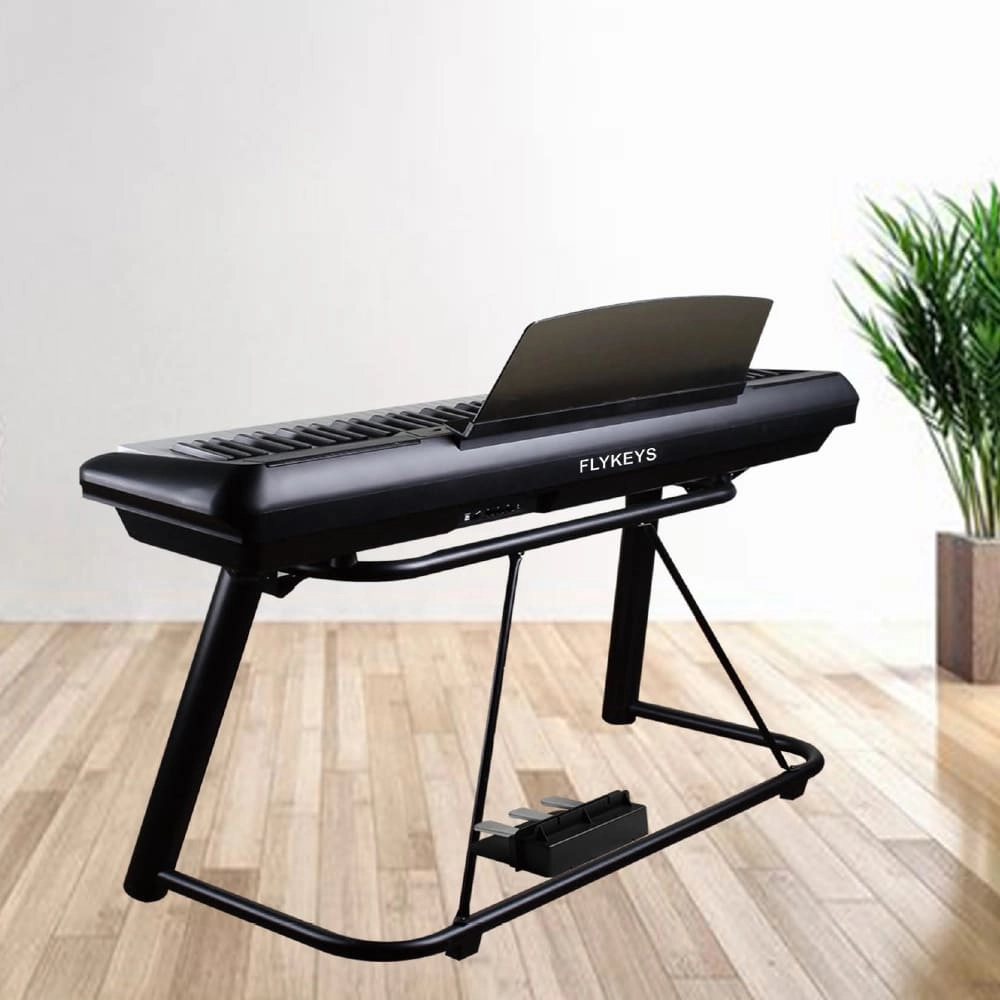
Flykeys 88 Keys Portable Piano With Wooden Stand FP6 Digital Piano
Independent development 88 keys dynamic curve hammer action weighted keyboard
European Spectral Composite techniques DSP chip. German famous Grand Piano sound sampling, string overtones resonance simulation sound technology
Modern, lightweight case,X stand, Ustand, Wood stand, 3pedal Optional
Control: double sound, record, split, transpose, reverb, chorus, metronome, MIDI, bluetooth
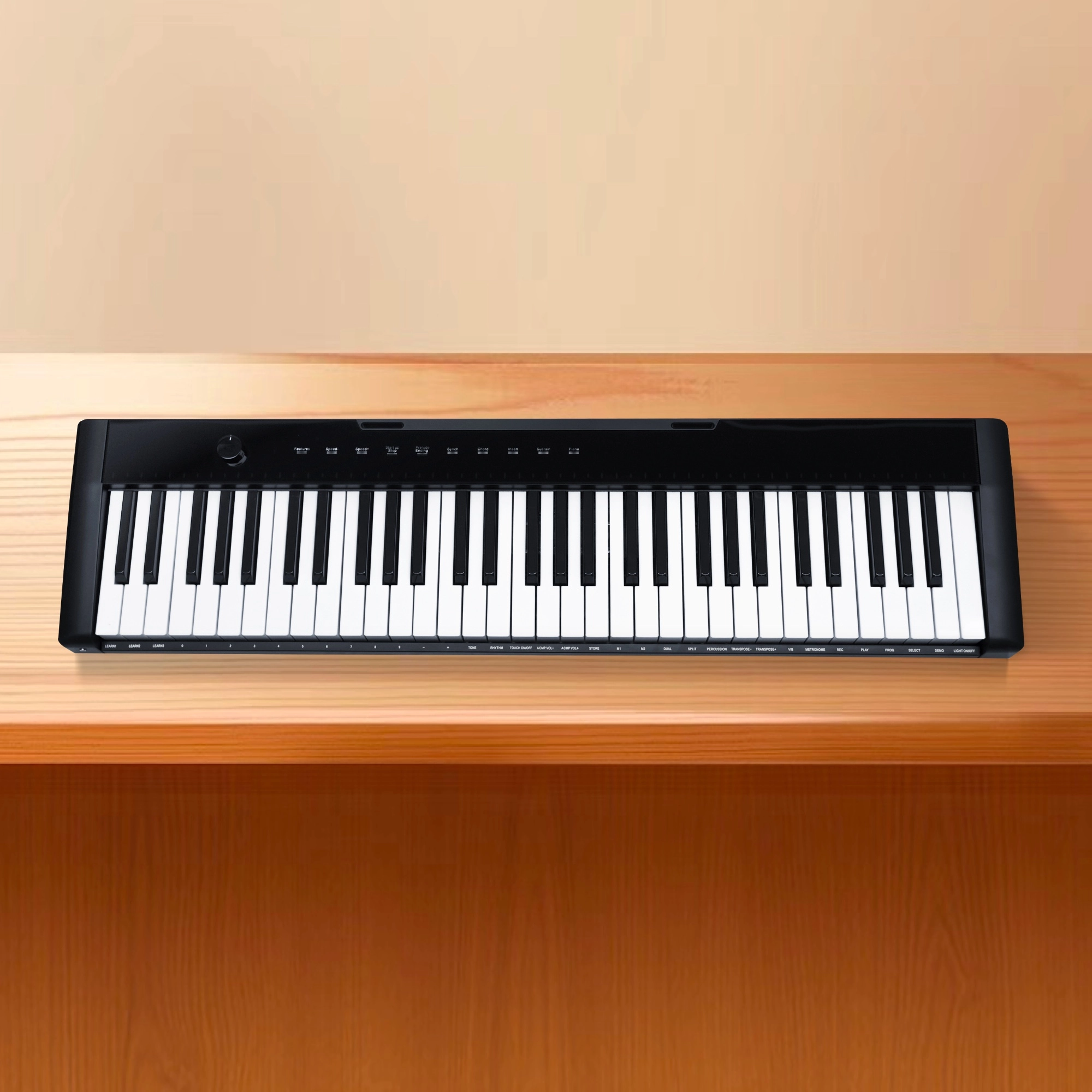
Flykeys 61 keys portable electronic keyboard piano with X stand (M2)
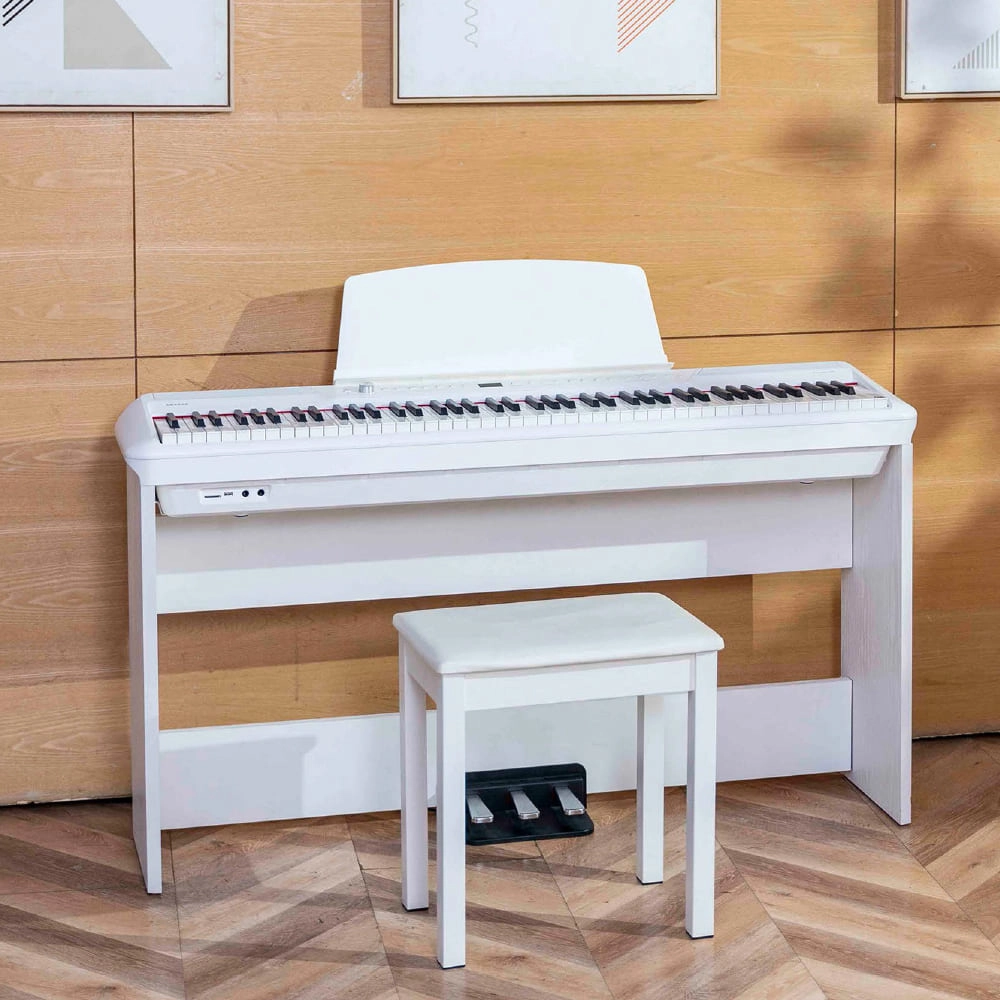
Flykeys Portable Electric Keyboard FP9 Digital Piano
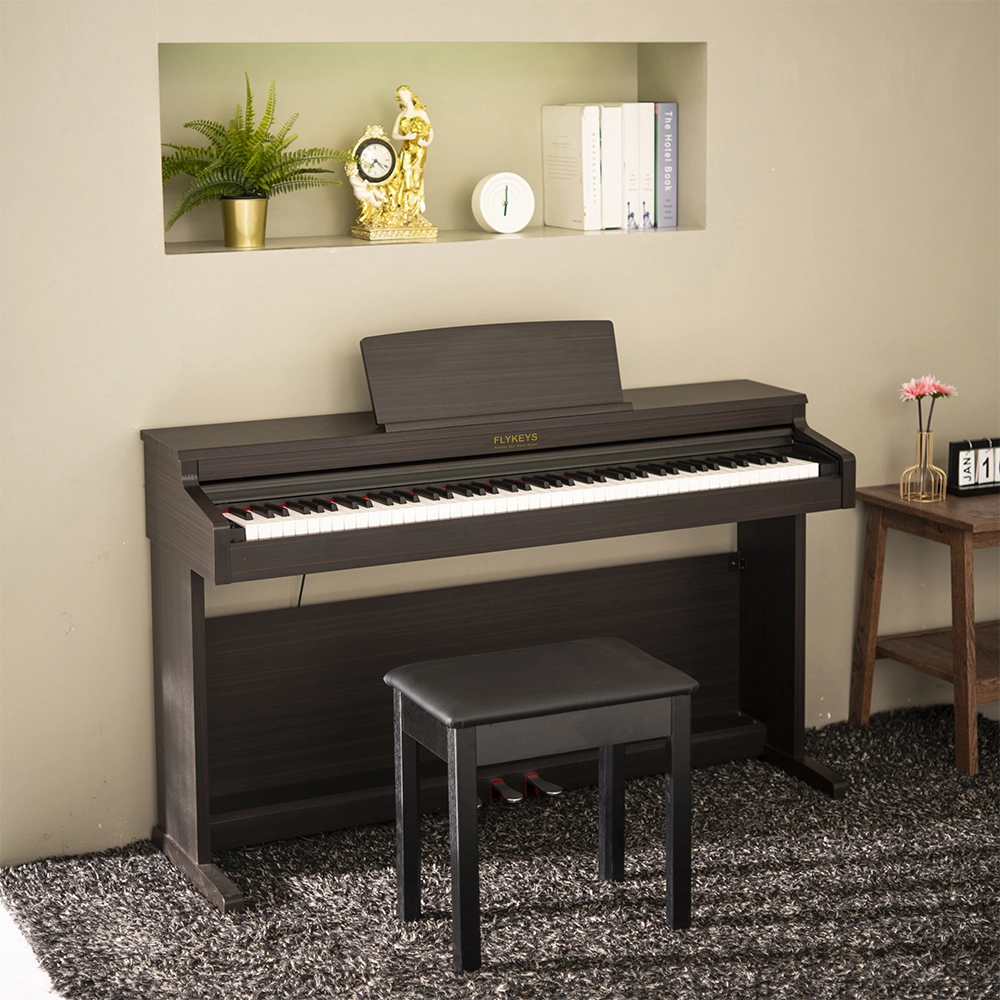
Flykeys 88 Keys Hammer Action keyboard Upright Piano LK03S Digital Piano
— Independent patented technology 88 key Grand-Response hammer action & dynamic curve keyboard;
— European top DSP chip, famous grand piano sound sample;
Address: No. 38 Xiangshan Avenue, Zengcheng Economic And Technological Development Zone, Guangzhou, China.
FOLLOW US:


© 2024 FLYKEYS All Rights Reserved. 粤ICP备2020102774号. Designed by gooeyun Sitemap | Privacy | Terms